CircleQCircleQ

Features

CircleQ Features & Capabilities

Designed for both customer experience and staff operational efficiency

QUEUE DISPLAY

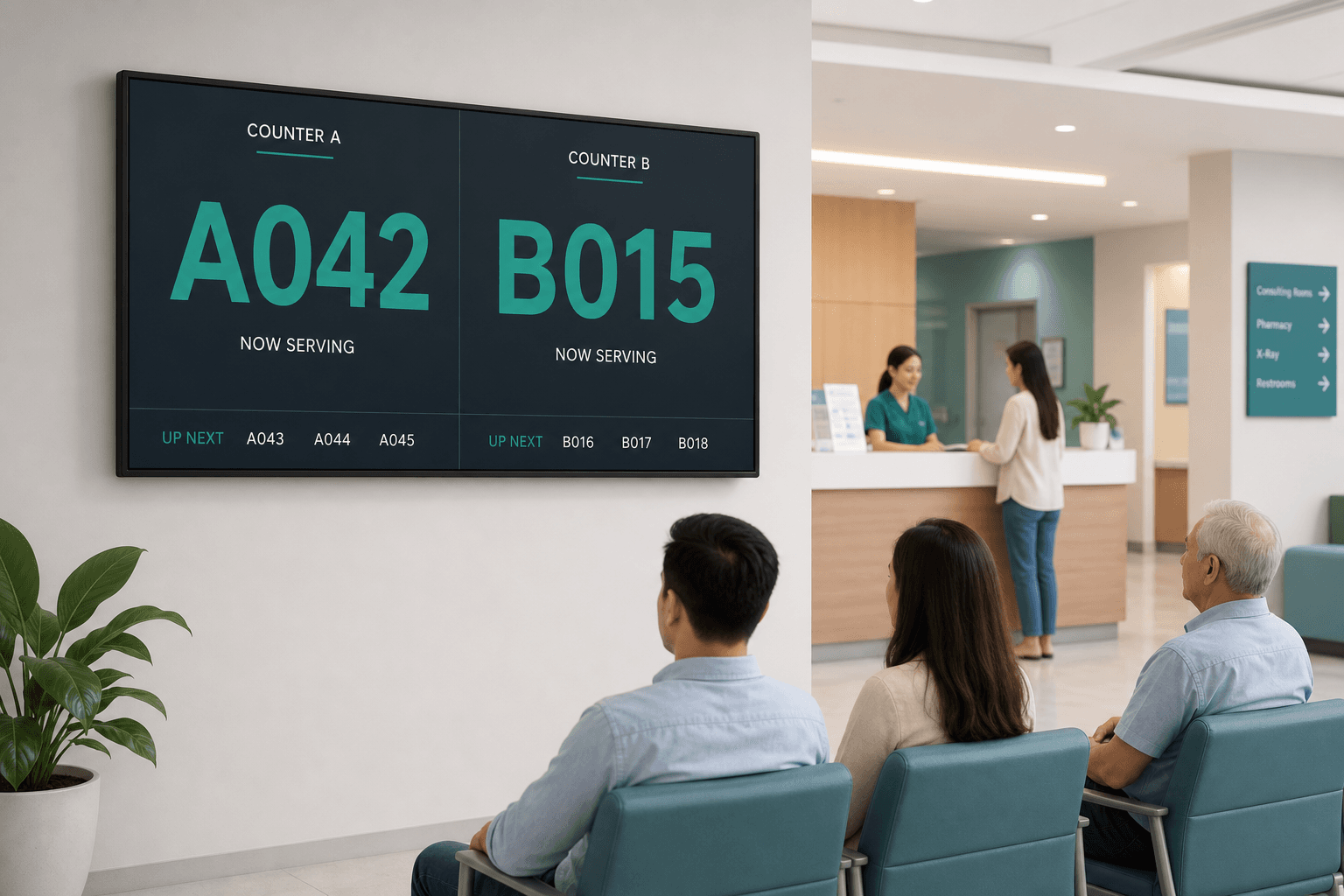
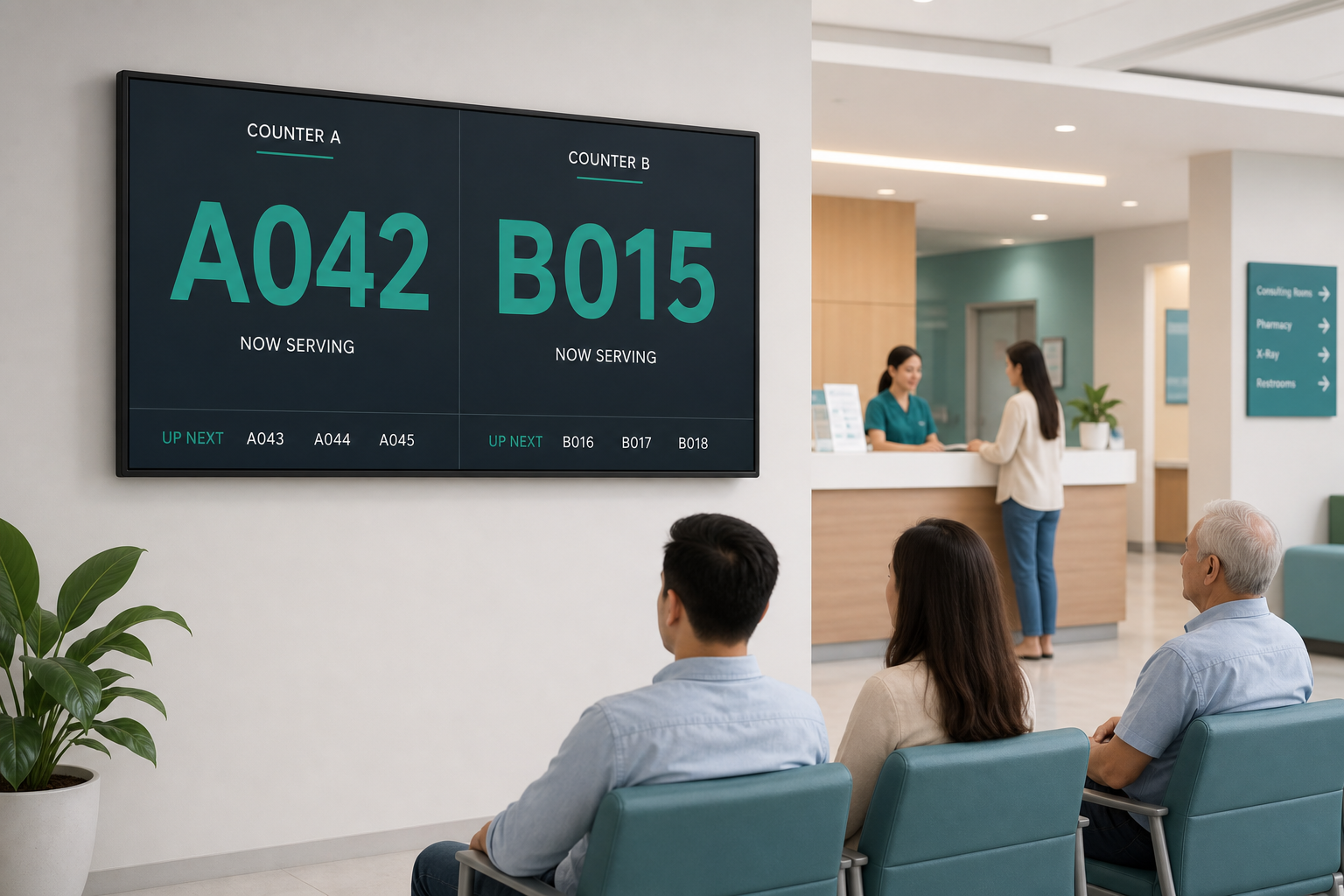
Queue display screen

Real-time · Queue List · Station Panel

Primary screen for staff — real-time queue lists and status at every service point

  • Queue List with status and wait time
  • Station Panel — call / hold / complete / transfer
  • Thai/English voice announcements, customizable
  • Multiple displays and service points at once
Register
Queue display screen

SELF-SERVICE KIOSK

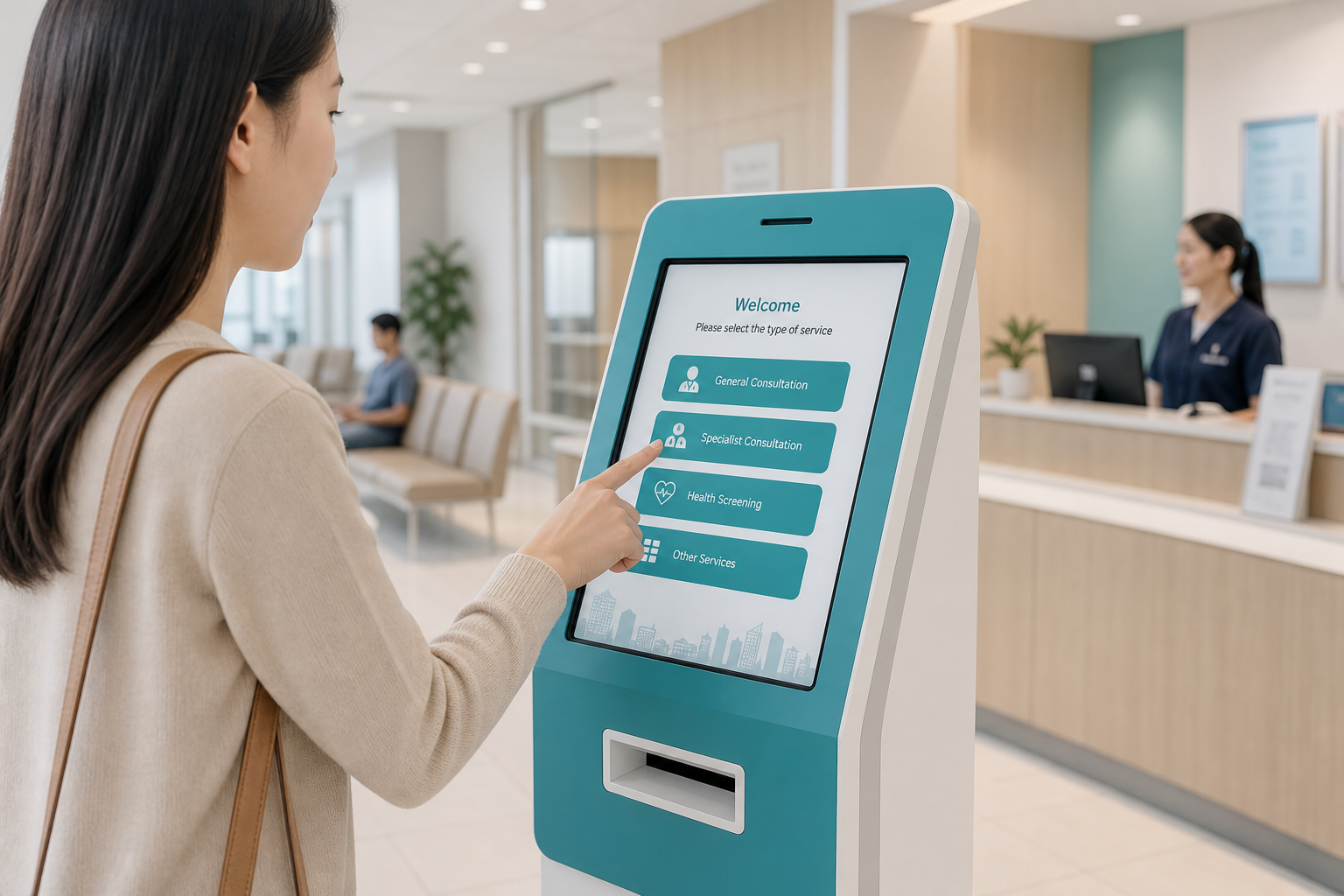
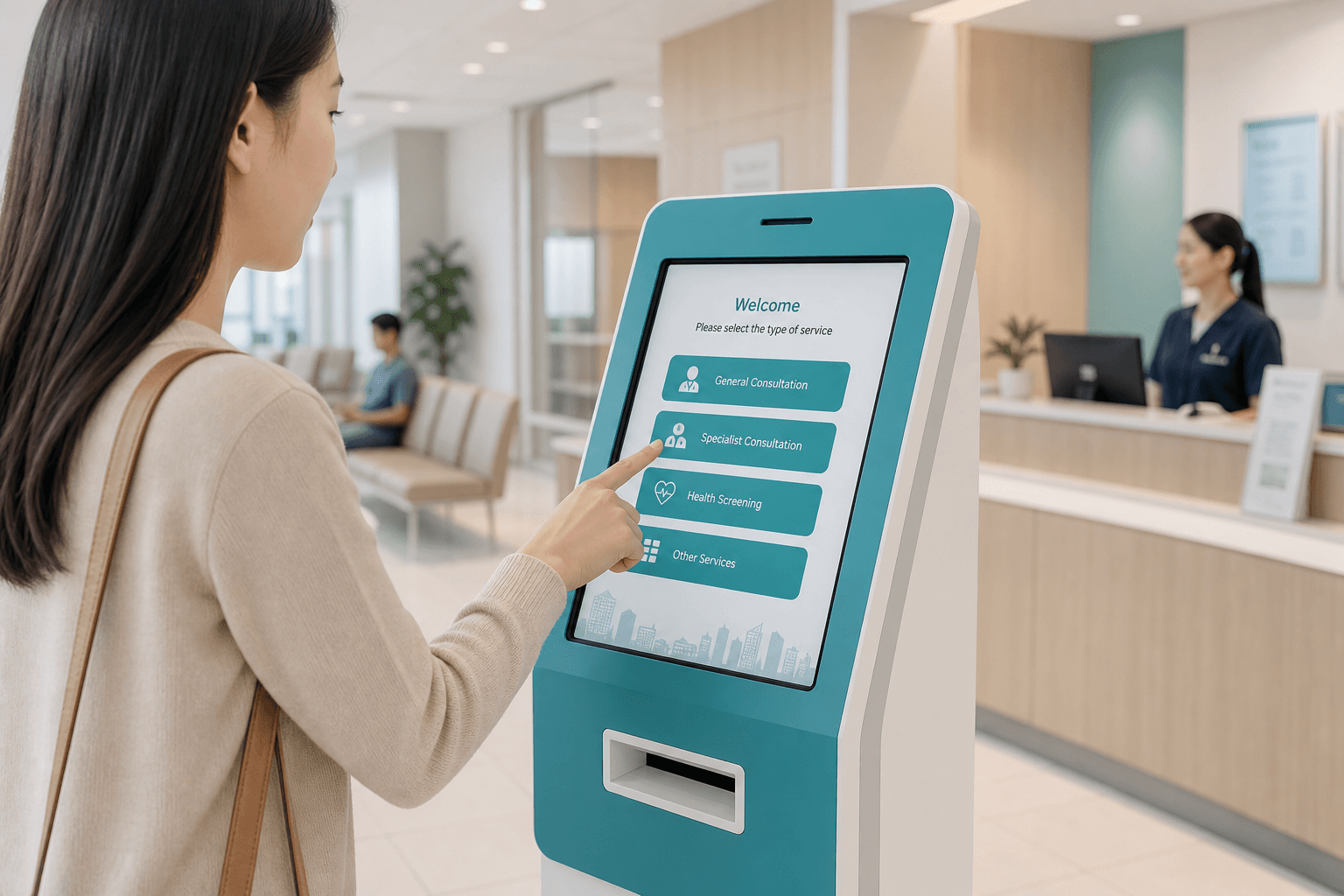
Self-service ticket kiosk

Self-service · QR Code · Walk-in / Appointments

Automatic ticket kiosk — verify instantly via ID card, HN, or QR Code

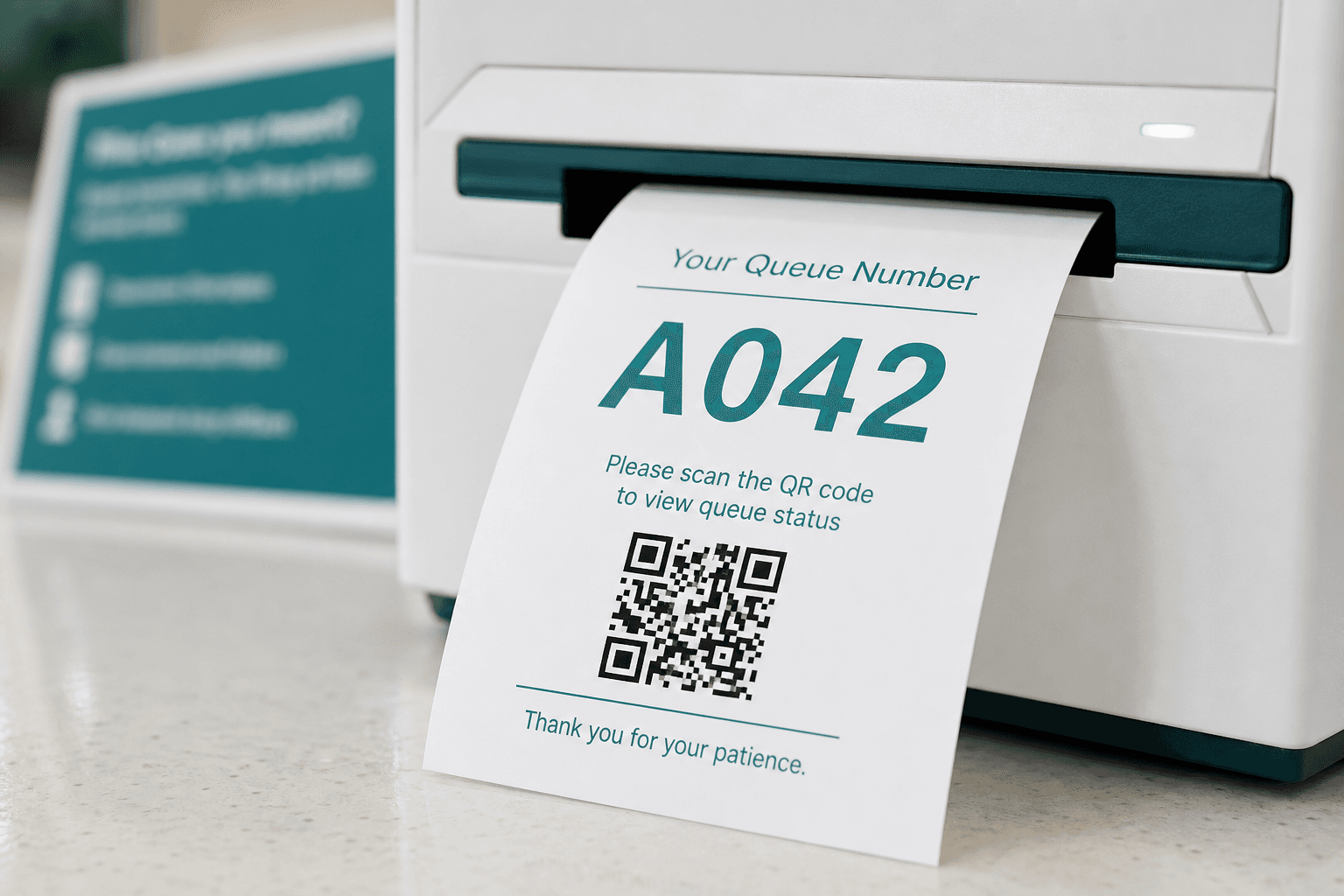
  • QR Code mobile queue tracking
  • Real-time estimated wait display
  • Walk-in and appointment queues
  • Select department and service point on screen
Self-service ticket kiosk

TRIAGE SYSTEM

5-level triage system

Triage · Priority · 5 levels

Medical-standard urgency ordering for efficient queue management

  • White / Green / Yellow / Pink / Red (critical)
  • Dashboard per triage level workload
  • Automatic priority routing
  • Configurable routing rules per workflow
5-level triage system

QUEUE MANAGEMENT

Every queue scenario covered

Walk-in · Hold · Transfer

Every front-desk scenario — walk-in, appointments, hold queues, and transfers with automatic audit logs

  • Walk-in and scheduled appointments
  • Hold queue · wait for Lab/X-ray results
  • Transfer with new number · unlimited recall
  • Full audit log for traceability
Every queue scenario covered

HIS INTEGRATION

Backend / HIS integration

HIS · HN/VN · HL7 / API

Connect to your existing systems — pull HN, VN, and history instantly

  • Direct HN and Visit Number (VN) lookup
  • HL7 / Text File / API support
  • LIS, PACS/RIS, and medical record scan systems
  • Our team helps coordinate integration with your IT
Backend / HIS integration

Modules

Complete CircleQ Modules

Kiosk, tickets, displays, dashboard, and chat — pick and scale as you grow

Queue Kiosk

Queue Kiosk

Hover to flip

Queue Kiosk

Self-service ticket kiosk with large fonts — ideal for high-traffic service points

Tickets & QR Code

Tickets & QR Code

Hover to flip

Tickets & QR Code

Print thermal/A4 tickets with QR for online status tracking

Display + Voice Call

Display + Voice Call

Hover to flip

Display + Voice Call

TV screens with real-time numbers and Thai/English voice announcements

Queue Dashboard

Queue Dashboard

Hover to flip

Queue Dashboard

Call next, transfer, priority routing, and live reports

Live Chat Support

Live Chat Support

Hover to flip

Live Chat Support

Customers ask about their queue — bot replies when staff are busy

Architecture

4 Pillars of CircleQ

Built for both customer experience and team operations

01

Registration & ticketing

Accept queues via Kiosk, counter, and online — linked to your EMR/HIS or existing backend

  • Verify identity via ID card, HN, or QR Code
  • Pull history and visit data from HIS / EMR
  • Support guests without ID or new registrations
02

Intelligent queue management

Order queues by urgency, customer type, and service point — accurate and transparent

  • Manage multiple departments simultaneously
  • Accurate estimated wait times
  • Call notifications via TV, voice, and mobile
03

Department operations

Front-line staff dashboard — call, transfer, hold queues with real-time status

  • Station Panel — call / hold / complete / transfer
  • Queue List with status and wait time per ticket
  • Workload and peak hour analytics dashboard
04

Online appointments

Customers book via Line OA or web — staff manage appointments from back-office

  • Select department, date, and time in real-time
  • Capture symptoms and urgency at booking
  • Automatic reminders before appointment time

Advanced Features

QR tracking, live chat, dashboards, and reports — all in one platform

Real-time Queue Tracking

Scan QR on ticket to see status and estimated wait on phone

Queue Chat Support

Ask staff or bot instantly — no repeated questions at the counter

Dynamic Queue Management

Hold, move, transfer, and prioritize VIP/urgent tickets flexibly

Display + Voice Call

Customizable TV display with automatic voice announcements

Analytics Dashboard

Live waiting count, avg wait, and peak hour insights

Platform

Platform Capabilities

Real-time, routing, analytics, and white-label — plus multi-tenant and enterprise security

Real-time Queue

Instant WebSocket sync across displays, mobile, and dashboards

Smart Routing

Route by type, priority, and department — triage and multi-stage ready

Live Chat

Customers ask about their queue instantly — bot replies when staff are busy

Analytics

Wait time, peak hour, throughput, and no-show reports for smarter staffing

SMS Notifications

Alert when a queue is near or called — less on-site waiting

White-label

Your logo, colors, and domain on every customer touchpoint

Multi-tenant SaaS

Isolated org data and settings — scale branches and units without limits

Security

Encrypted data, role-based access, and audit logs — enterprise ready

Workflow

How It Works

From ticketing to service — every step in one system

CircleQ Smart Queue

Patient

Insert ID card to open Visit and print queue ticket

Insert ID card to check queue status

Register/Visit and print ticket via registration counter

Registration staff

Verify treatment rights and Authen Code with NHSO

Check-in at department via Kiosk or nursing counter using QR on ticket

View queue info at service point / department

View your queue by scanning QR Code on ticket

Manual Queue vs CircleQ

A clear comparison of what automation delivers

Manual Queue
CircleQ
Clear, fair queue order
No
Yes
System-based calling, fewer errors
No
Yes
Mobile queue status check
No
Yes
Wait time & peak hour reports
No
Yes
Scale displays & counters easily
No
Yes
Priority / triage queue ordering
No
Yes
Multi-department · hold · transfer queues
No
Yes

Trial program

Start your CircleQ trial today

Our team helps you set up and test the system in your real operating environment

Performance testing

Validate system behavior in your actual service environment

HIS integration testing

Verify data connections with your existing backend systems

Workflow validation

Run alongside your real processes before committing

Service model

Cloud SaaS + on-site setup support

Trial period

14 days — no credit card required

Support team

Technical setup + training session

What you need: coordinate IT for HIS integration (if applicable) and allow on-site access

No commitment — evaluate after the trial

Start free trial

14-day free trial

Ready to get started?

Start your 14-day free trial. No credit card required.

Get Started
Q

CircleQ

Flow smarter. Queue better.

Connect

Turn waiting chaos into smooth, organized service

CircleQ is an intelligent queue management platform for every service business — reduce crowding, boost efficiency, and elevate the customer experience from the first step

CircleQ© 2026 CircleQ. All rights reserved.